New updates are live with redesigned payslips, bulk payments, time & attendance import, and a refreshed experience across every screen — built to make payroll faster and clearer.
New payslips
Payslips have been completely redesigned in these new updates — clearer layouts, improved readability, and a more professional look for your employees. Review, finalise, and distribute with confidence knowing every detail is presented clearly.
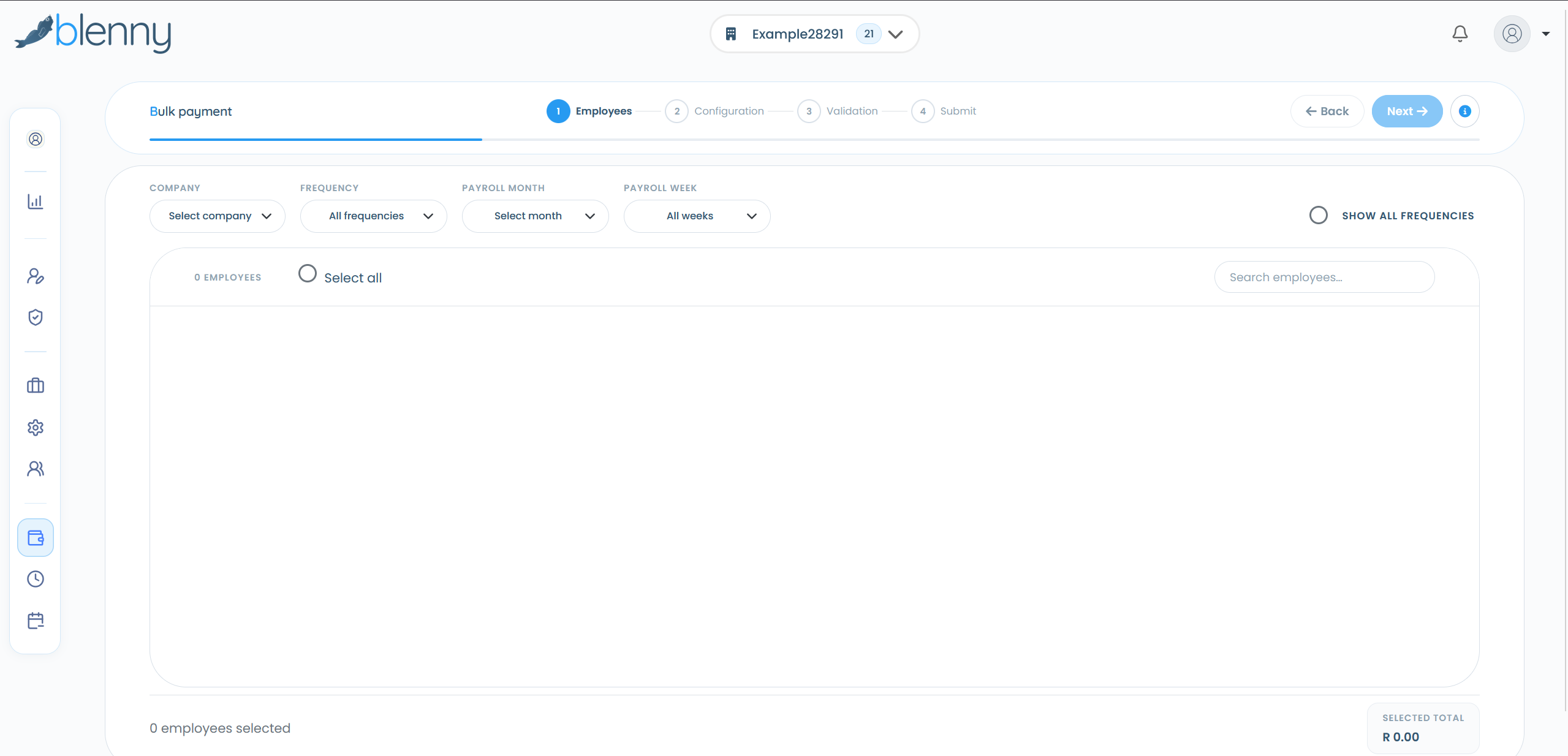
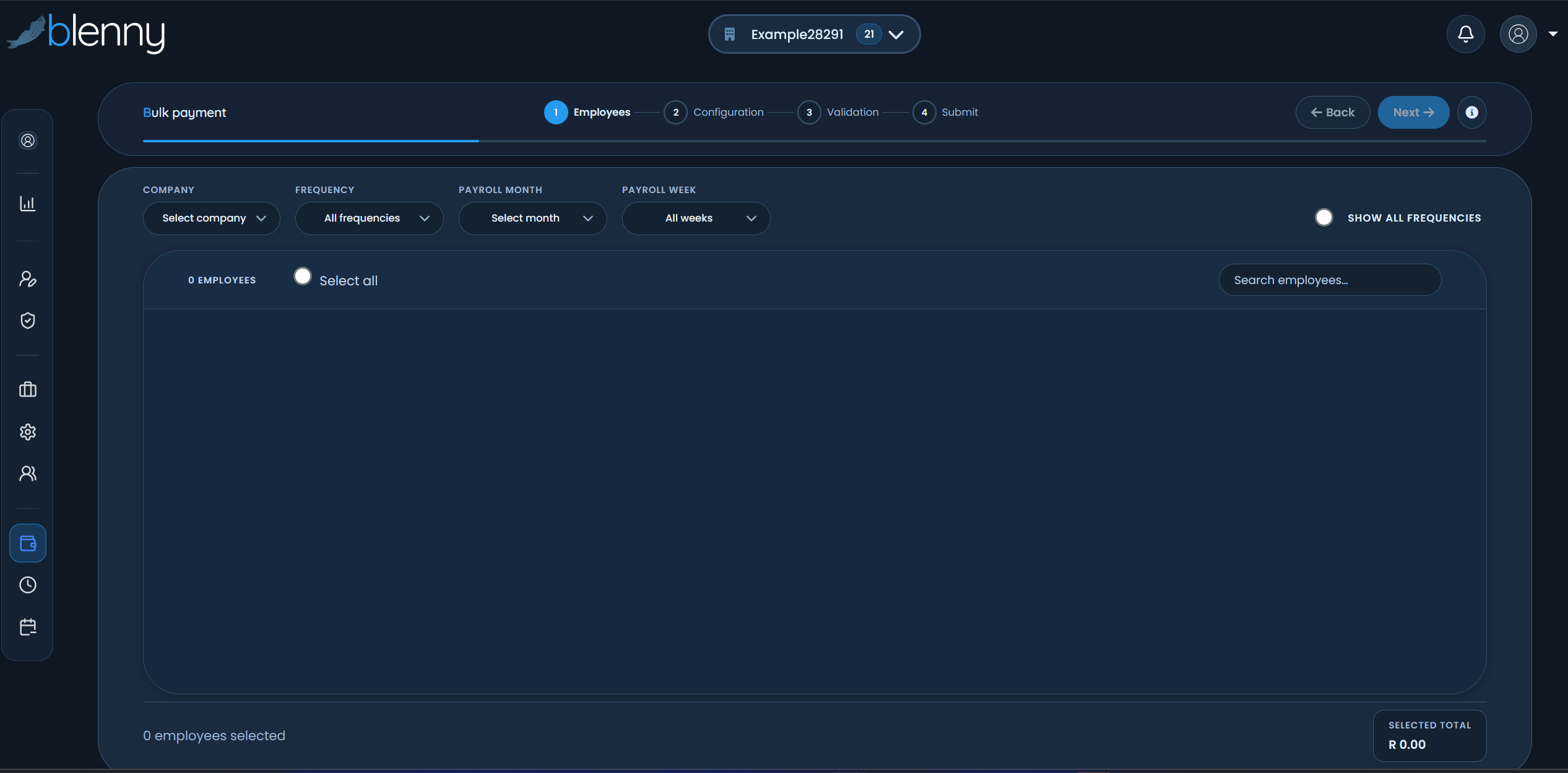
Bulk payments — now live
Bulk payments is up and running in these new updates. Process multiple employee payments in one go, save time on large payroll runs, and keep full control over each batch before you submit.
Layout enhancements
Multiple screen layout improvements make Blenny easier to work with on desktop, tablet, and laptop. Key workflows are better organised so you spend less time hunting for the right screen and more time getting payroll done.
New designs throughout
A fresh visual design runs across these new updates — updated colours, typography, and component styling that feel modern and consistent. The result is a payroll platform that looks as good as it performs.
Time & attendance import
Import time and attendance data directly with these new updates — no more manual re-keying of hours worked. Pull clocking or timesheet data into payroll so overtime, shifts, and hourly pay are calculated accurately and on time.
Everything else that's improved
Alongside payslips, bulk payments, time & attendance import, and the new look, these new updates keep the automation, compliance, and support you rely on — with updated pricing to match.
Streamlined workflows
Capture data, run payroll, and review results with fewer steps across redesigned screens.
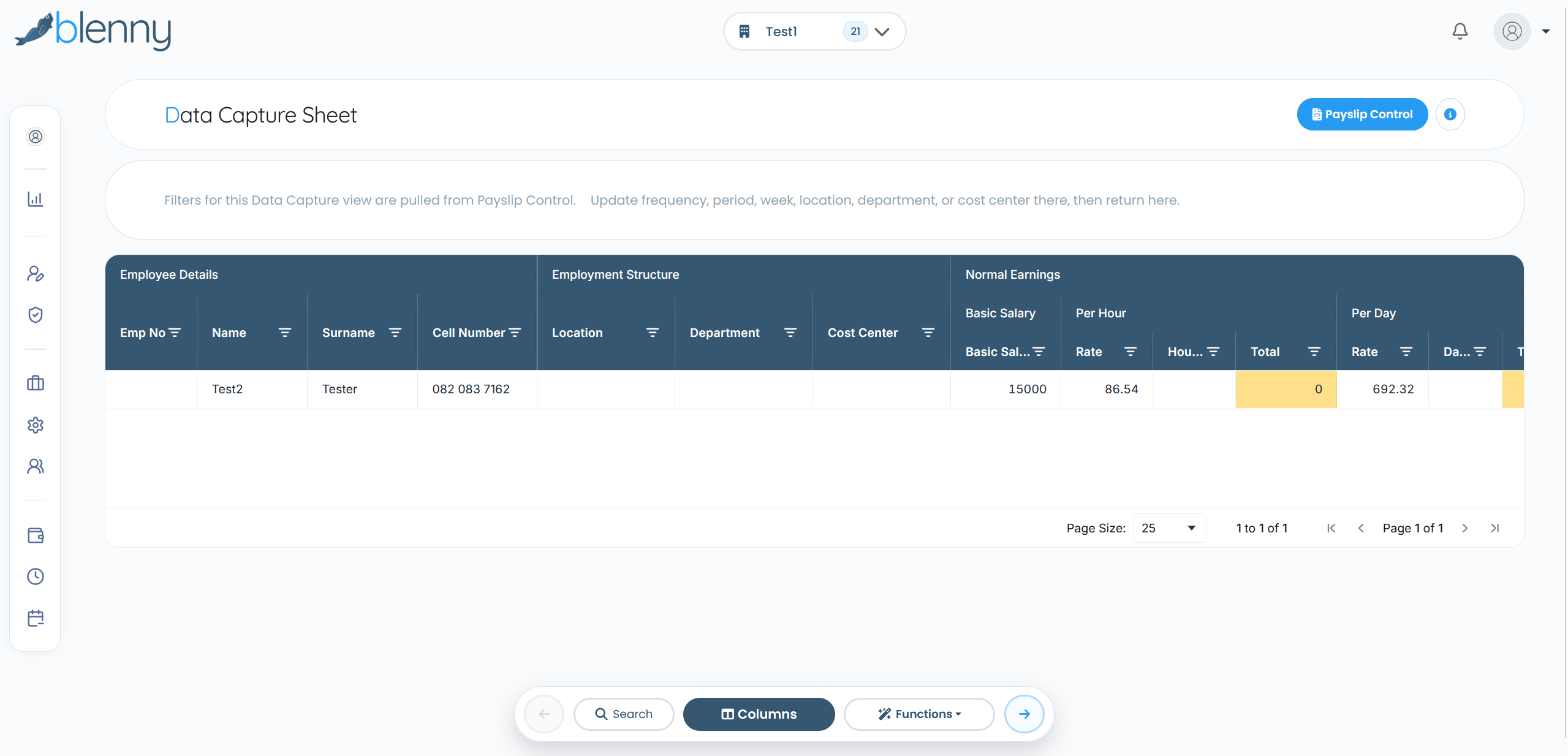
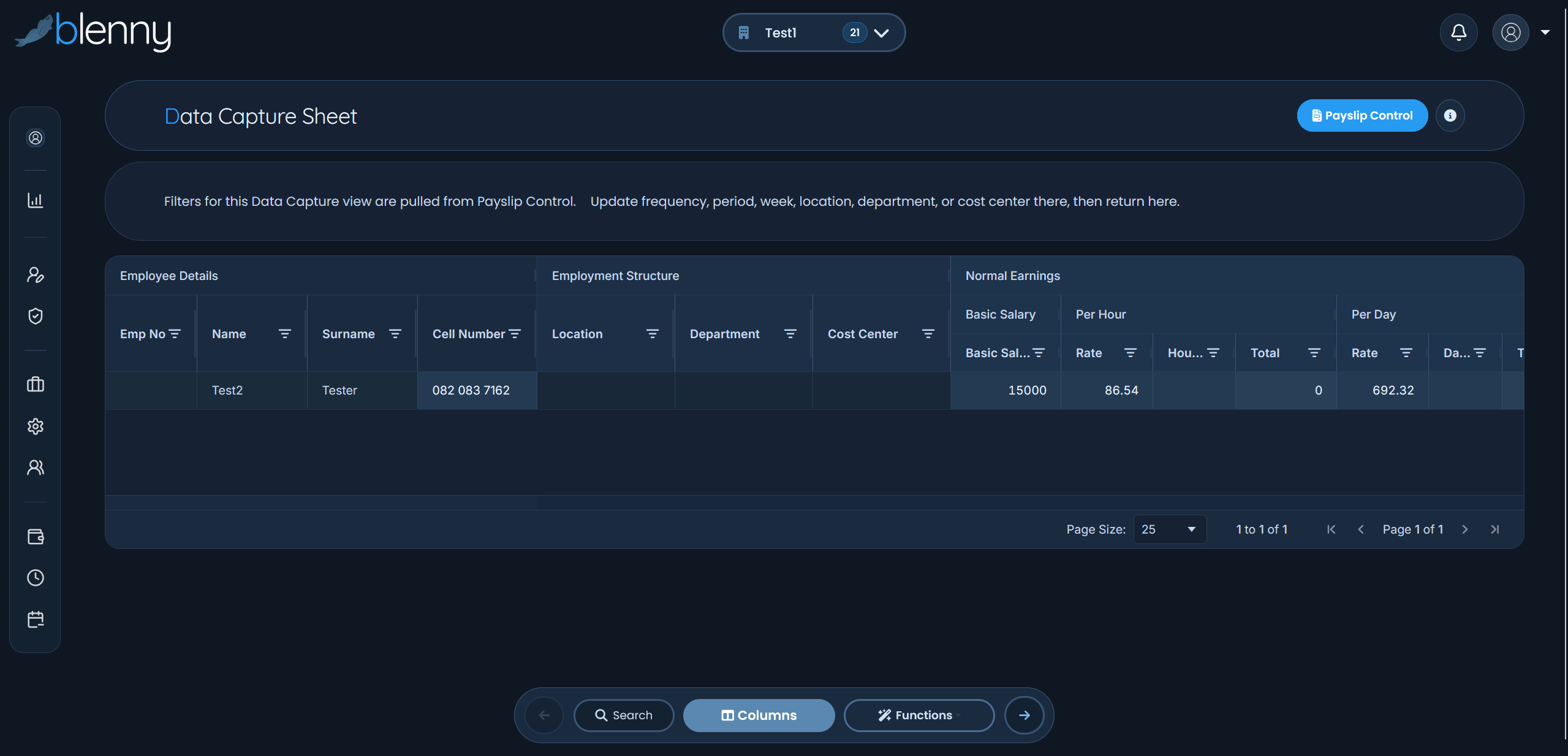
Data capture sheet
Single-view editing for payroll inputs — update employee data and process changes in one place.
Reporting & compliance
Build custom company reports or choose from preset regulatory reports — UIF, EMP201, and EMP501 for South African requirements.
Personnel management
Employee records, leave tracking, and HR data — integrated with your payroll run.
SARS integration
Accurate tax calculations and compliance built for South African payroll.
Updated pricing
Transparent pricing from R23.50 per employee plus hosting from R30, with five pricing levels and optional Leave Management.
Click on any image to learn more about each feature
Complete Feature Overview
Data Capture Sheet
Single-view data editing and payroll input
Payslip Control
Review, finalize, and distribute payslips
Personnel Management
Complete employee data management
Reporting & Analytics
Custom company reports and preset regulatory reports — UIF, EMP201, EMP501
Document Management
POPI-compliant secure document storage
Time & Attendance
Real-time integration with time systems
Employee Self-Service
Employee portal for payslips and documents
Bulk Payment Processing
Streamlined payment file generation
SARS Integration
Automated tax calculations and submissions
Scroll down to see detailed feature screenshots and descriptions
Light modeDark mode
Data Capture Sheet
Click to learn more
Data Capture Sheet
The Data Capture Sheet is a flexible, table-based tool that allows users to create custom data sheets based on their specific requirements. These sheets are used to capture payroll-related information that feeds directly into the payroll system.
Designed with speed and ease of use in mind, the Data Capture Sheet simplifies data entry while reducing errors and manual rework.
Bulk Payments
Click to learn more
Bulk Payments
Bulk Payments give users full control and visibility over all salary payments through the Bulk Salary Payment screen. The system displays real-time payment totals and validation results, including the payment file total based on the selected frequency, the deposit total entered, and the total amount required (including VAT and banking fees).
Any differences between expected and actual totals are clearly highlighted, together with a validation status. Banking errors caused by invalid account information are also flagged, helping prevent failed transactions, reduce unnecessary fees, and ensure accurate, cost-efficient salary payments.
Payslip Control
Click to learn more
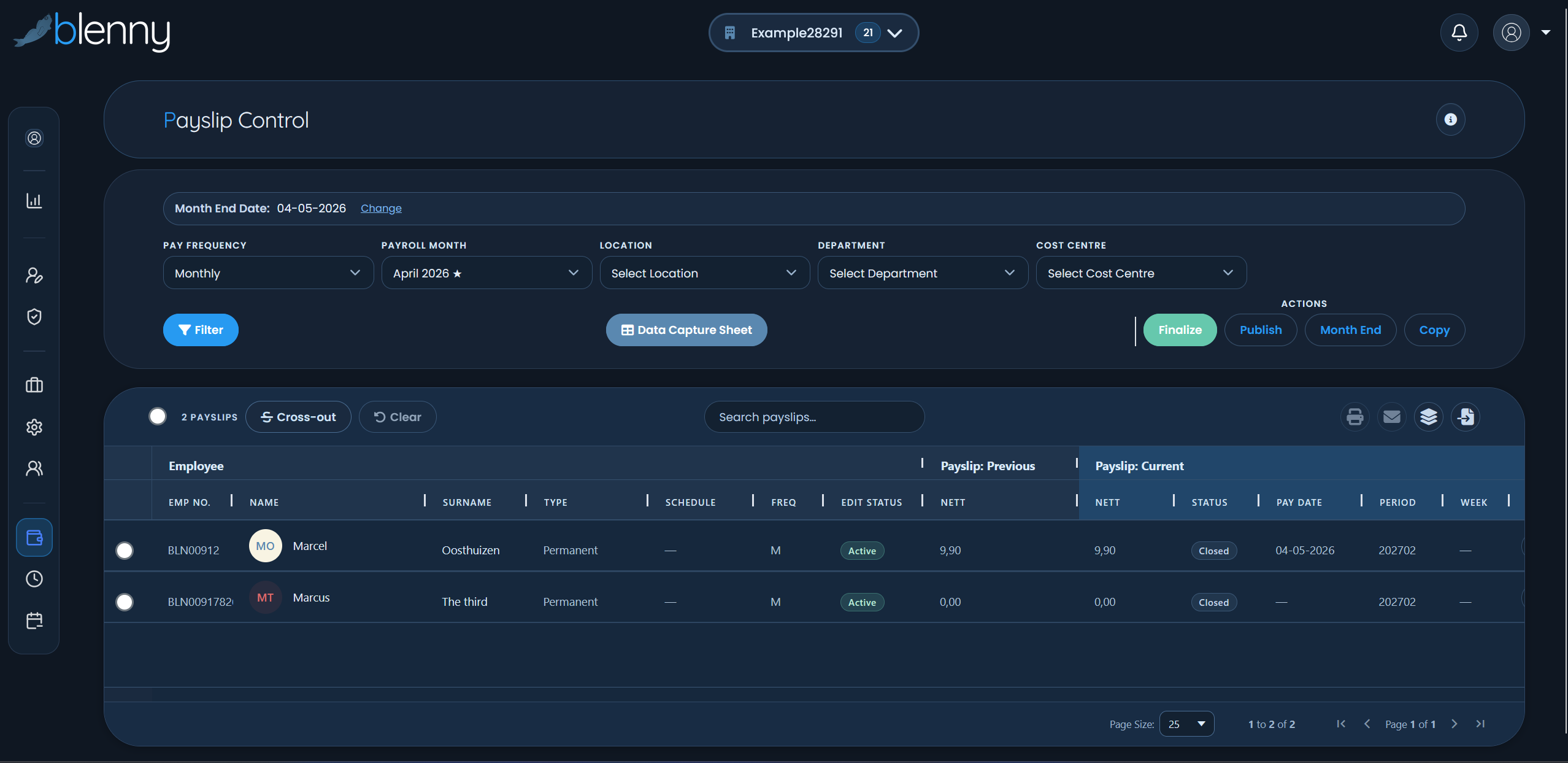
Payslip Control
Payslip Control is the central hub for managing your payroll. It allows you to add, edit, or update any values related to an employee's pay with ease. The system also includes powerful additional functions, such as comparing, viewing, and printing payslips, filtering by pay frequency, updating employee status, and adding messages directly to payslips.
Payslip Control supports week-, fortnight-, and month-end processing, giving you full oversight and flexibility over your payroll operations.
Reporting
Click to learn more
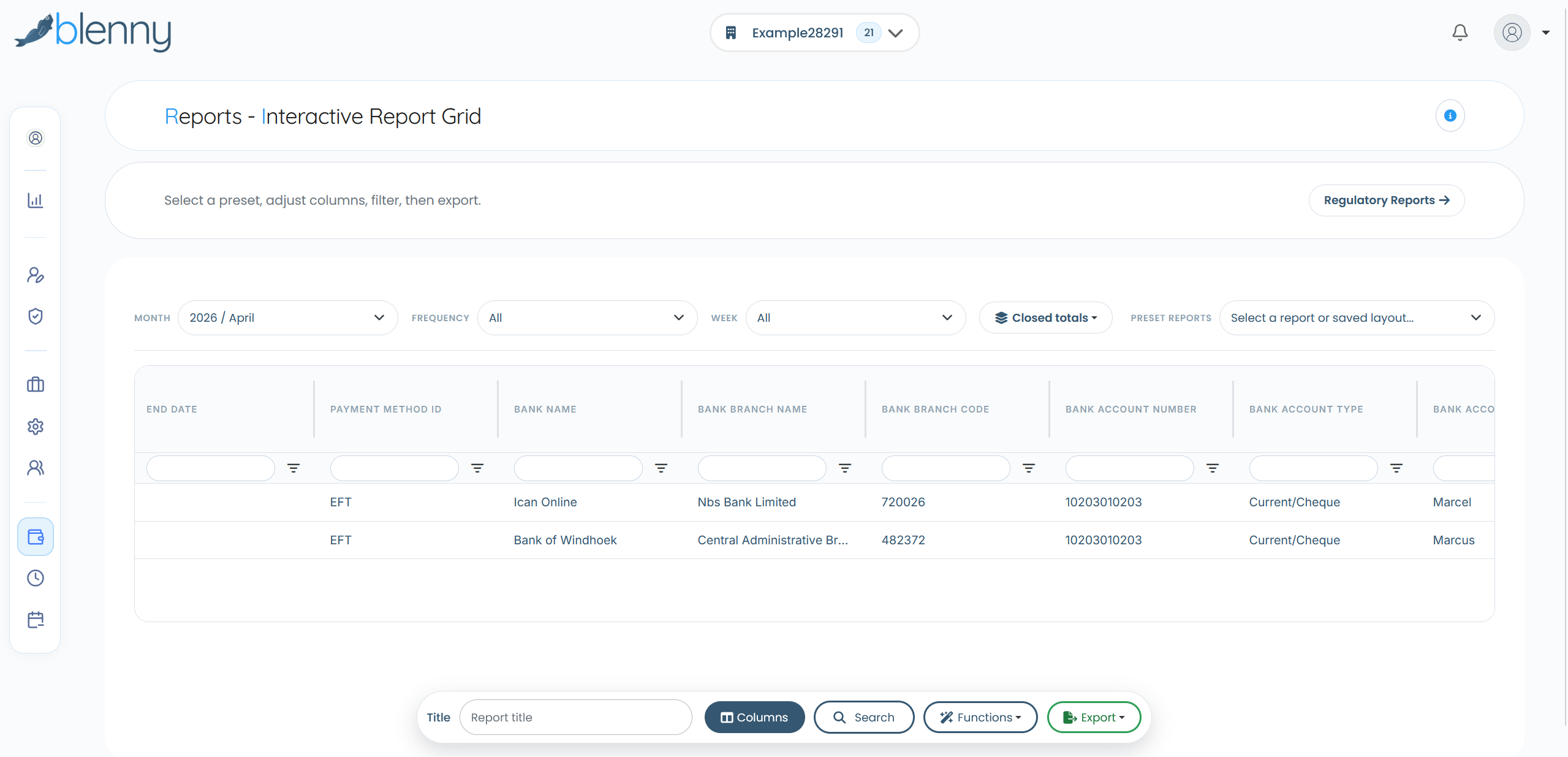
Reporting
Reporting in Blenny is organised into four categories: Employee, Employer, Regulatory, and General Ledger. This structure provides a real-time, detailed breakdown of everything happening in your payroll, giving you clear insights and full control.
Build your own company reports by selecting the headings you need — the system assembles the report, and you can save templates to reuse. Or choose from preset regulatory reports built into the system.
Reports can be exported in Excel, PDF, or CSV formats, and include advanced filtering options by month, week, employee, location, department, or cost centre, so you can access exactly the data you need, whenever you need it.
Personnel File Management
Click to learn more
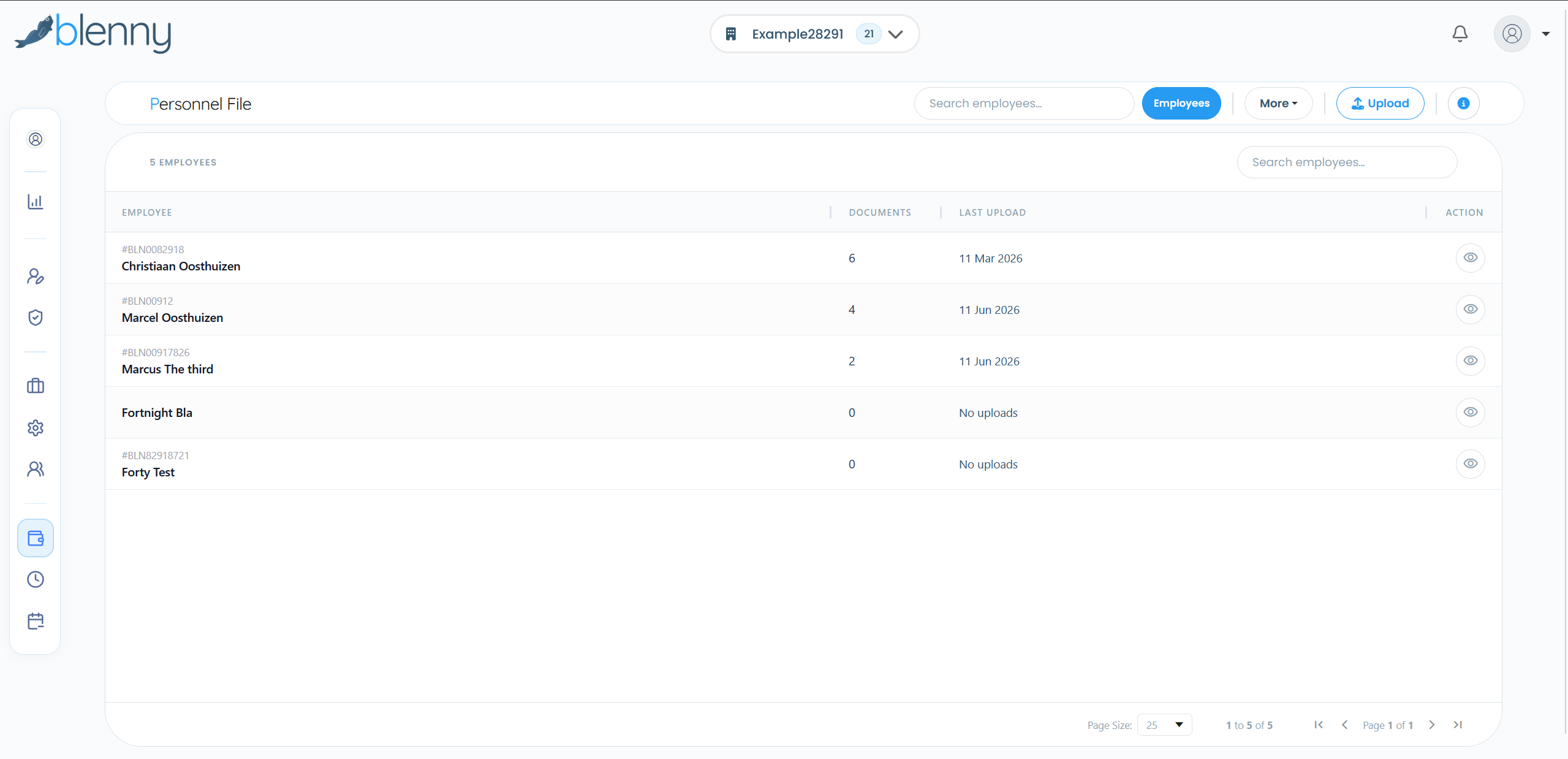
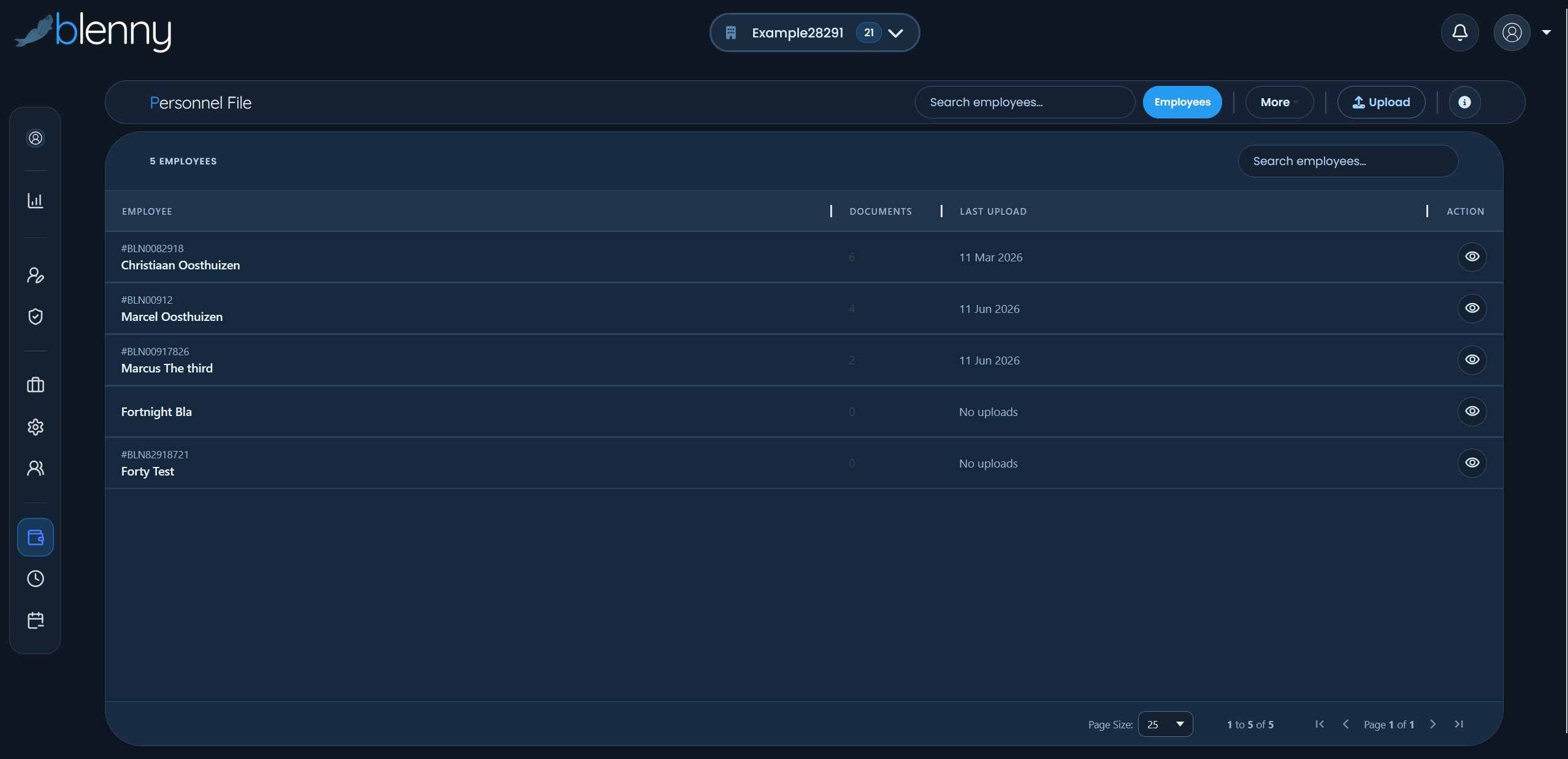
Personnel File Management
This feature allows users to securely upload and organise all employee documentation, from CVs and contracts to tax forms and payslips. Users can create custom categories and subcategories to suit their needs.
Documents can also be assigned expiry dates, so you'll never be caught off guard by an expired licence or certificate. Payslips are automatically published to the personnel file, allowing employees to access their own payslips directly from the Blenny app.
The first 10 GB of storage is included as part of your monthly subscription, giving you plenty of space to manage employee records efficiently.
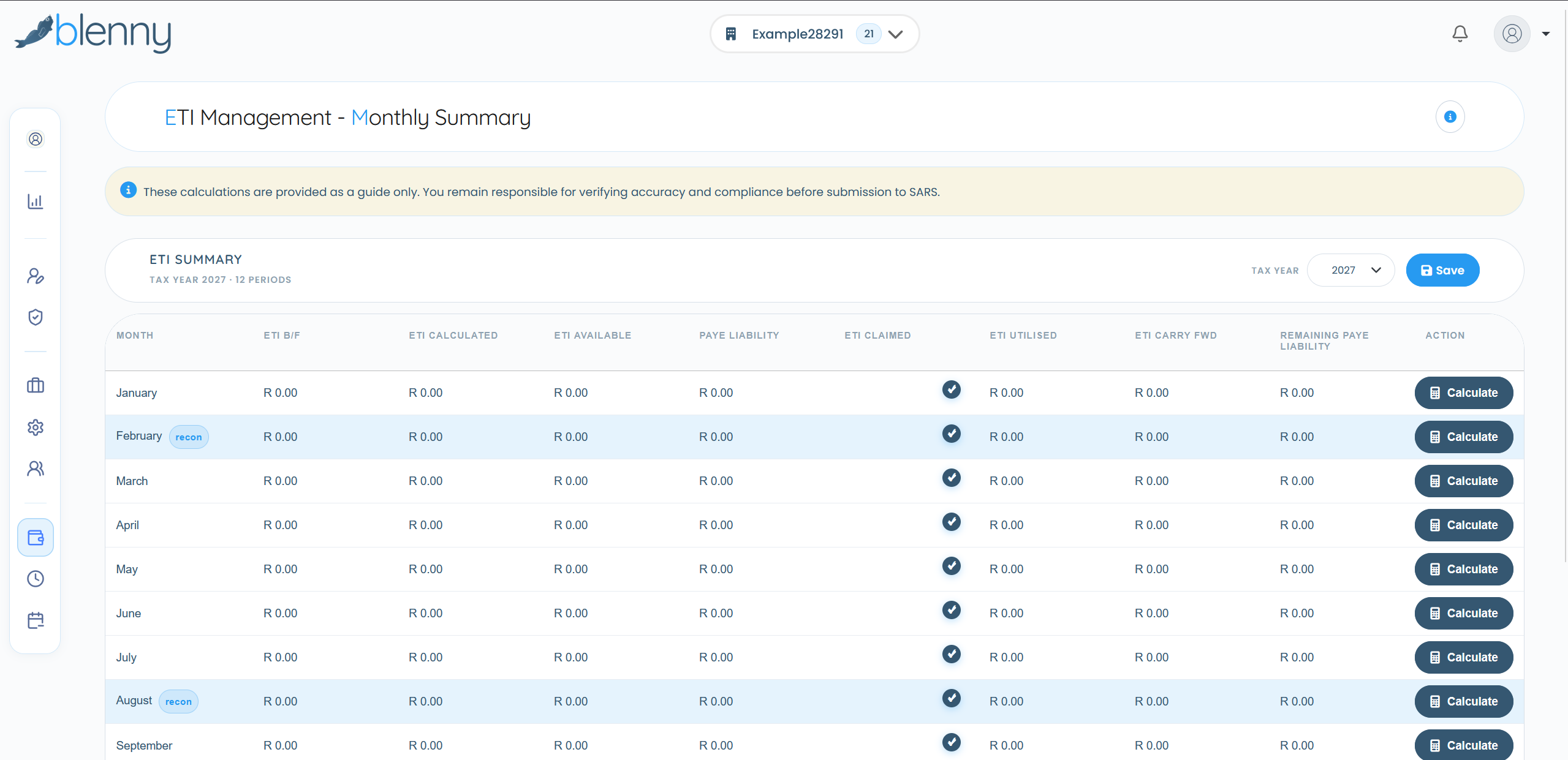
Employment Tax Incentive (ETI)
Click to learn more
Employment Tax Incentive (ETI)
Companies that are compliant with SARS may qualify to claim the Employment Tax Incentive (ETI). Blenny's ETI calculator automatically identifies qualifying employees according to SARS rules, so there's no need to rely on tax practitioners to calculate your company's ETI.
The system also generates a detailed ETI report for review and submission, helping companies manage ETI accurately and take full advantage of available tax savings.
Switching to Blenny Payroll: Easier Than Making a Cup of Coffee!
We know payroll can be a headache, but with Blenny, it's smooth sailing. We're with you every step of the way, and before you know it, you'll be running payroll like a pro.
1
Register & Gather the Basics
Sign up your company through our secure registration portal. You'll need some essential details, like:
Contact details of your payroll superhero (a.k.a. the responsible person)
Don't worry, just follow the prompts—we've got you covered.
2
Onboarding & Data Migration
Structure your payroll: Organize by Location, Department, and Cost Centre. Set up earnings, allowances, and deductions.
Import employee data: Use our standard Excel spreadsheet — populate it and import directly — or enter manually. Our team helps with migration from other payroll systems.
We handle the technical setup—you just provide the information.
3
Go Live & Run Payroll
Set up salaries: Enter income and deduction details—Blenny handles all tax calculations automatically.
Run payroll: Use the Data Capture Sheet to make changes, then review and finalize in Payslip Control. Submit payment files, UIF, and SARS reports with one click.
That's it! You're running payroll like a pro.
Our Vision
PAYROLL RE-IMAGINED
Why?
We realized that the core accurate data in any business lies within the payroll data. Usually, this data is the most up to date data set in any business. Using this as the starting point, we developed a roadmap of development to use the payroll data and structure to expand the functionality and application as captured in the payroll.
The following principles were used:
Payroll Principles
Firstly, the payroll should be easy to use and ensure that it is logical in setting up and use. The payroll should limit training and support requirements and should be secure and functional in any environment. Additionally, we should identify any opportunity that will limit data input and create features that save time and effort. For this we re-imagined Blenny Payroll Software as a whole.
Core Features
Everything You Need for Seamless Payroll
Discover the comprehensive features that make Blenny the complete payroll solution.
Payroll Features
Comprehensive payroll management with all the tools you need to process payments accurately and efficiently.
Read more
Secure Multi Company and User
Dashboard display associated per company
Select CTC or Basic Salary Calculation Type
Select Payment Frequency (Hourly, Shift, Daily, Weekly, Fortnightly or Monthly)
Run payroll per location, Department or Cost Centre and according to frequency
Create Pay Scales and payment groups. Just link new employees to pay scale
Import employee data using our standard Excel spreadsheet from other payroll systems, or enter manually
All payroll SARS required calculations preset in the payroll
Data Capture Sheet is a single view of all data and allows for direct editing of any data
Payslip Control allows for employee payslip finalization, weekend or month end functions. (No batching of files)
Reporting
Full-feature Business Intelligence Reporting System that keeps you reporting real-time, functional and provides a visual dashboard overview.
Read more
Published pricing uses five levels: per-employee payroll fees plus fixed hosting at each level. Leave Management is available as an optional add-on on the same employee bands. All prices excl. VAT.
The Payroll / Leave and Time functions are all integrated into a full feature BI System
Build custom company reports by selecting headings — save and reuse templates — or choose from preset regulatory reports including UIF, EMP201 and EMP501
All reports can be exported to excel or saved as PDF
If users undergo the Blenny Certification Program they will be able to design advanced custom reports and dashboard features
Secure Access to reporting function only can be provided to interested parties like Accountants / Auditors or Payroll Outsource clients
Document Management
Secure hosted environment compliant with the POPI Act for storing personnel files and company documentation.
Read more
We identified those difficulties experienced by the HR and Payroll function in the business and developed a full feature of document management solutions that in addition to having a place to store personnel files and other company documentation in a secure and managed environment. This feature will be expanded to include automated company compliance policies and contracts in future.
Access is controlled up to a single document level
Supports standard business document formats (PDF, DOCX, XLSX, images)
Users can set own Folders and upload documents directly into the system
Cross-document natural language search and information extraction. All document processing complies with POPI Act requirements and data is stored securely within South Africa.
Personnel Filing System can be used for ID Documents / Passports / CV's / Licenses / Training Certificates / Employment Letters and Contracts
Should the client want to use the system, a fee of R150 per month and R50 for every 10 Gig of data will apply.
Time & Attendance
Blenny designed a structure that updates the time data daily (real-time) directly into the database. Payroll can basically be done with the press of a button.
Read more
Although many current legacy payroll software allows for Time & Attendance integration, some even directly import data, Blenny designed a structure that updates the time data daily (real-time) directly into the database.
For Time & Attendance, Blenny integrates with specific identified Time & Attendance Software suppliers
These suppliers are independent from Blenny and would independently cost and manage the Time system
Employee Self-Service
The associated Employee Self Service Module (ESS) allows employees to have direct access to employment contracts, company policies and their own PDF payslips.
Read more
No more printing of payslips required. Our unique Time worked approval or dispute feature on the ESS limits time worked disputes and save time and frustration. The ESS solution also allows employees to manage their own leave and all required leave processes and documentation.
The ESS solution is a downloadable APP for smartphones from a link that would be provided when employee is loaded on the Company's Payroll
The ESS can be associated with the Company and can display the company logo and can be known as the specific companies APP
Companies will be able to select from basic provided colours that applies to the company
As services are registered by the company, these services will become available on the APP
Payslips (if uploaded into the document system) can be viewed and managed on the APP
The same applies to company policies and employment contracts
For the ESS solution, an initial setup fee applies whereafter there will be no cost involved including the payslip structure.
Leave Management
Our Leave system is fully cloud based and eliminates the use of paper in total. The Leave system is fully integrated into the Payroll and Time & Attendance system and would update real-time.
Read more
No more importing of leave totals.
Setup of the Leave System and linking of Employees is managed within the Blenny System
The registered mobile number in the payroll is used as the main Identifier
Absence / Leave for Employees without smartphones can be captured on the main Blenny System
The company can set their own leave rules and requirements
Leave Management is available as an optional add-on, charged per employee on five pricing levels (from R8.00 at Level 1 declining to R6.00 at Level 5) and appears as an additional services line on the invoice.
Additional Services
ADDITIONAL SERVICES
Enhance your payroll experience with our additional services designed to support your business needs.
Training
Blenny negotiated with 3rd party Certifies Training Providers to providers to make available their online training on the APP. The company can choose from hundreds of certified courses that qualifies as Skills development and can be claimed from the Skills Development Authority.
Read more
Even courses that require some practical application can be selected as the theoretical part can be completed online and the trainee only undergo the practical part at a identified venue. Usually on a 5 day course the theoretical part is 3 days and practical 2 days. The company now saves 3 days of costs.
The client can decide to participate in the use of a Zero rated option where the data usage for online training would be billed against the company and not the individual. The employees can access only that server for training material and courses. More info can be provided on request.
The company can preset the courses employees must conclude
Completion Certificates will automatically be posted to the document system
The 3rd party will also be able to facilitate the SDL claims process
The applicable 3rd party will bill for this service and Blenny is not included in the process.
Emergency Standby Fund
The Blenny standby fund allows employees to access funds a set number of days before payday to access a preset amount in accordance with various vetting factors.
Read more
It is well known that many employees do not manage to survive a whole month on their salaries. This prompts employees to access short-term loans with excessive interest rates further, placing a burden on them just to survive. The Blenny standby fund allows employees to access funds a set number of days before payday to access a preset amount in accordance with various vetting factors including employment status, length of employment, leave availability etc. Funding of the requested standby fund is provided by Blenny and would be deducted from the payroll at month-end. No effort or action is required from the payroll department and the whole process is completely effortless.
The process is supported by an agreement between blenny and the Employer
The employee will get a notification on App that indicates that the window for accessing the fund is open
To access the funds, the employee will complete a two-factor authentication
The employee will have the option to select between R500 / R1000/ R1500/ R2000 with the maximum depending on the income
On selecting the stated amount, the system will in real-time publish a voucher directly to the employee's phone
The voucher is funded by Blenny and can be redeemed for cash or used to make payments (using the phone) at 80,000 retail stores
Payroll Cellphone Agreement
When an employee, dependent on being active / permanent and working for the company for an agreed period, a button on the App will activate that allows the employee to apply for Samsung handheld devices.
Read more
The employee will have the option to select between several devices and according to income. On accepting the downpayment agreement, the Blenny payroll system will auto-create a deduction in the DCS for the agreed repayment amount. The phone will then be couriered to the registered employee address.
This option is only available for Samsung phones
The agreement for repayment is between the 3rd party and the employee and not the employer. The employer has no responsibility for the phone, or the agreement except for the deduction to be included in the payment file (automated)
Our vision is to continuedly expand our repertoire of features and functions. So make sure to keep a eye out on our blog page for any announcements.
Ready to Experience These Features?
Contact us for a walkthrough or sign up to see how Blenny can transform your payroll process.